Choosing a reference photo for a live face swap
Before spending credits on a second take, check which image is causing the problem: the portrait or your webcam.
The reference supplies the face, not the performance
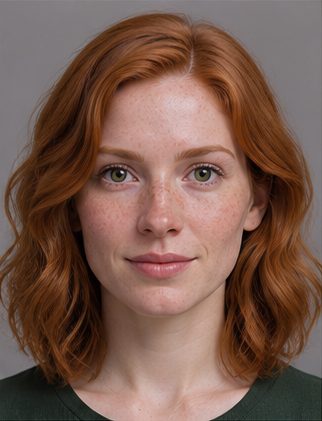
Start with a preset or a portrait you're allowed to use. Pick a picture with one face, looking roughly toward the camera, with the eyes and mouth visible. A group selfie leaves the subject ambiguous. Cropping can remove the other faces, but enlarging a blurry face doesn't bring back the lost detail.
Change one thing at a time
Open the camera preview before you start a session. If your own eyes are in shadow, move the light or turn toward a window. Changing the reference photo won't fix a dark camera feed. Once the AI output appears, look straight ahead, smile, then turn slightly. Compare the result at the same angle before trying a different reference.
If the output looks fine head-on but the mouth disappears whenever you raise a hand, repeat the motion with the hand lowered. If one portrait gives a poor result even when you're still, try another preset with the same camera position. That comparison is more useful than changing the camera, light and portrait all at once.
If an upload isn't accepted
Use a different authorized portrait when review asks you to replace the image. An unavailable review result doesn't mean the image was approved. For a short test with a usable picture, follow the webcam recording guide.