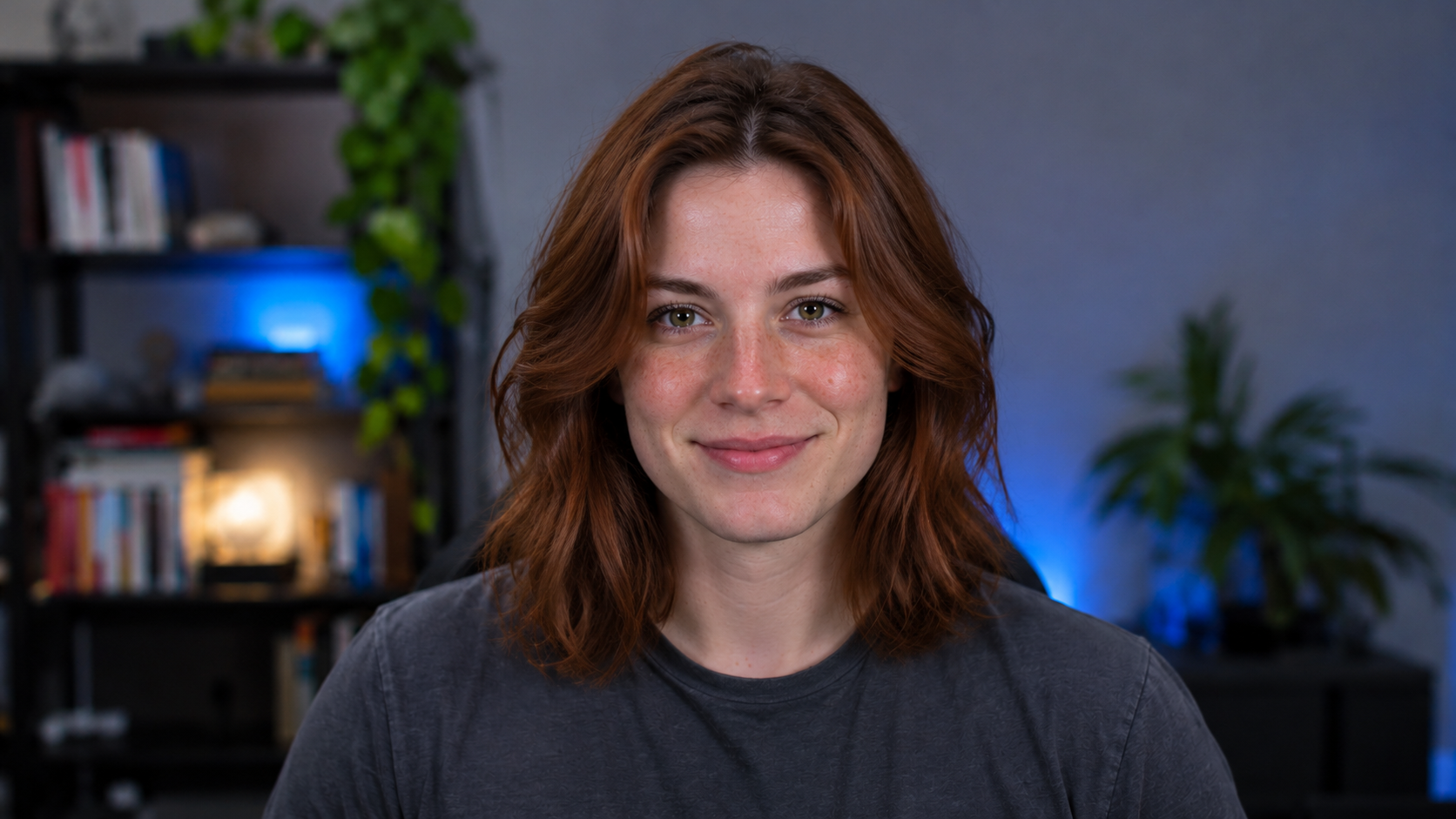
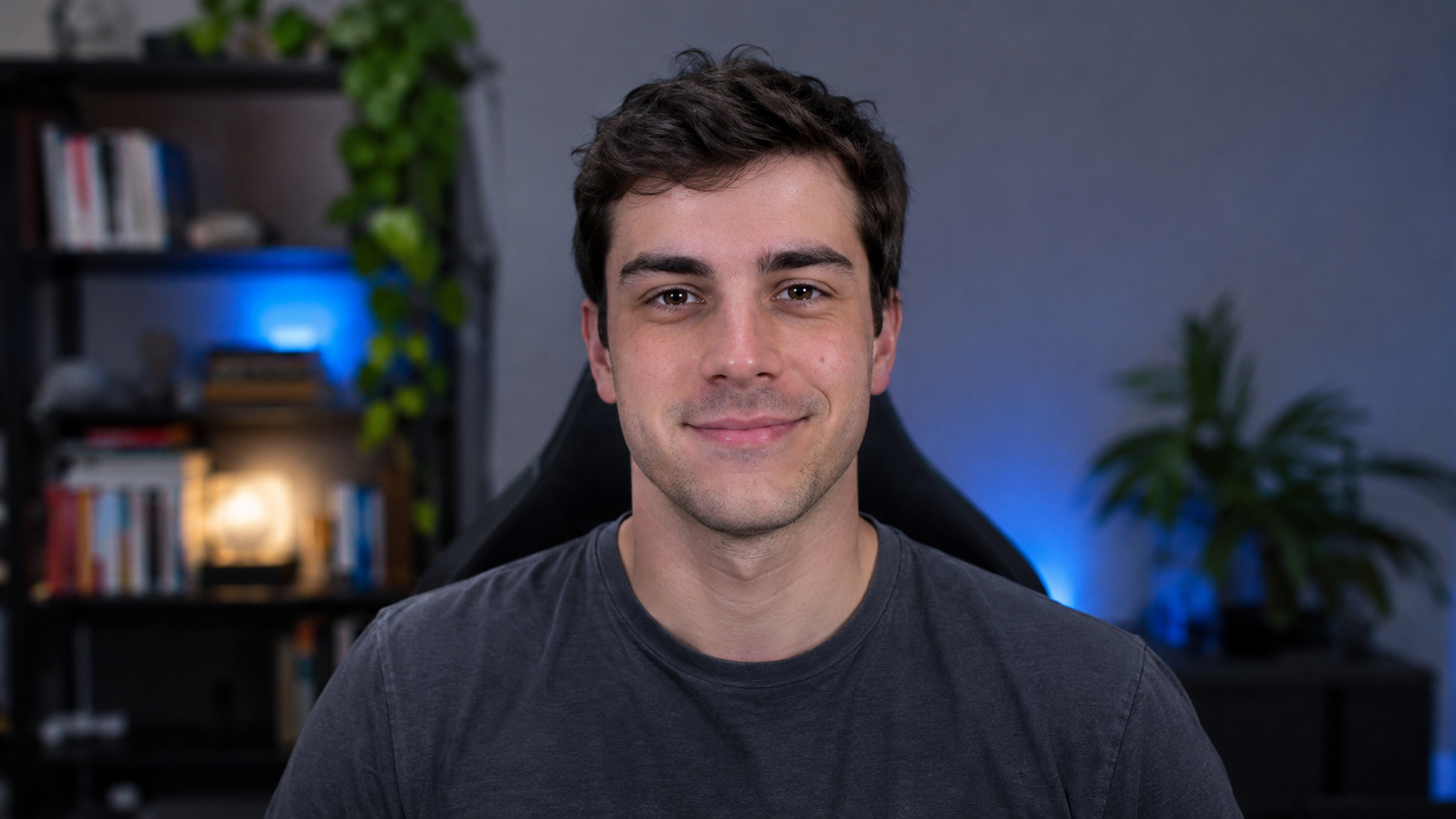
 BeforeAfter
One Portrait Sets the Look
Upload a clear, front-facing JPEG, PNG or WebP portrait. Use an image of yourself, an original character, or a person whose permission you have. The reference guides the appearance of your live transformation.
Change your face on a live webcam feed. Choose a reference portrait, open your camera and bring a new character to life in your browser.
Credit usage starts when AI output appears.
A reference portrait supplies the look. Your camera supplies the motion. Explore a new character in the same browser workspace.
BeforeAfterUpload a clear, front-facing JPEG, PNG or WebP portrait. Use an image of yourself, an original character, or a person whose permission you have. The reference guides the appearance of your live transformation.
Move, smile and react naturally while your webcam supplies the live input. Keep the small camera preview beside the large transformed output, or open the output in full screen for a closer look.
Experiment with character performances, live entertainment and creative camera sessions. For OBS, capture the browser window and review the result before broadcasting. No system virtual camera is installed by this site.
Create a character performance, try a new on-camera look, or prepare a face swap for streaming.
Select a portrait from the library or upload a clear photo you have permission to use. Keep your favorites in your quick references.
Sign in, open the camera preview and check the session credit rate. Click Start Face Swap, then wait for the reference checks and first AI output.
Use your expressions and movements to drive the output. Click a quick-reference portrait to change characters, or click Stop to end the session.
Bring the browser output into your streaming scene with window capture. OBS handles the recording or broadcast.
Start a live session in your browser. Check the lighting, face framing and motion in the AI output before setting up your broadcast.
On Windows, add a Window Capture source in OBS. On macOS 13 or later, add macOS Screen Capture and select the browser window.
Crop the captured window to the AI output, arrange it in your OBS scene and configure your microphone separately. Check a short recording before going live.
Monthly plans start at $9.90. Save up to 50% with annual billing, or choose a one-time credit pack.
Credits are issued monthly. Each batch is valid for 60 days. Cancel renewal anytime.
Annual plans are paid upfront. Credits arrive in 12 monthly batches, not all at once.
Canceling renewal keeps your prepaid monthly grants and credits until their expiry. A new subscription renews separately; it does not replace an existing one.
Minute estimates use each plan’s displayed rate. While a subscription is active, its rate applies to your entire balance, including credit packs. After membership ends, the standard rate applies to new sessions. Camera preview and local recording are free. Applicable taxes are shown at checkout.
Before purchasing, read our policies: Terms of Service · Privacy Policy · Refund & Cancellation
Live face swap changes a person’s appearance in a live camera feed using a reference portrait. Your movements and expressions drive the output. The transformation can also change hair and other character details.
Choose a portrait, open your camera preview and confirm that you have permission to use the image. Sign in, check the credit rate and click Start Face Swap. The generated video appears in the large output panel.
No. The live engine is selected automatically and runs in the cloud. Choose a reference portrait, allow camera access and start with a signed-in account and sufficient credits.
Yes. Save portraits as quick references, then click a thumbnail to apply a different character during a live session. The next image must load and pass the applicable reference checks, so the change is not instantaneous. Wait for the update to finish before choosing another portrait.
For OBS, capture the browser window and review the result before broadcasting. This site does not install a system virtual camera or appear automatically as a camera device in Zoom, Discord or other calling apps. Those workflows need a separate capture or virtual-camera setup.
For Face Swap, use a clear portrait with one visible person and even lighting. Try On uses a garment reference; Restyle uses a style reference. JPG, PNG, WebP and AVIF files up to 20 MB are accepted and automatically compressed to 500 KB. Use images you own or have permission to use.
You do not need to install a local AI model or a dedicated GPU for model inference. Processing runs in the cloud. You still need a camera-capable browser, permission to use the camera and a stable internet connection. Your device must be able to capture and play live video.
This is a browser workspace, with no desktop app required for the on-page preview. Your browser must support camera access and live video connections. Camera permissions, background-tab restrictions and performance vary by browser and device; mobile compatibility is not guaranteed.
There is no fixed latency guarantee. Startup includes image preparation, reference checks, connecting to the service and receiving the first video frame. During a session, delay depends on your connection, device and service load. Check the live preview with your normal lighting and movements before broadcasting.
Camera preview does not use AI credits. Live generation requires a signed-in account and enough credits at the rate shown in the workspace. Usage begins after the first AI output frame is confirmed, with no upfront balance reservation. See pricing for subscriptions and one-time credit packs.
Your camera stream is sent to our AI processing provider, and reference images are sent for moderation. We do not store continuous video or audio on our servers. By default, your browser starts recording when the first live AI output appears. You can turn off auto-recording before starting a session. Clips stay in your browser for download. Microphone audio is included only if you allow microphone access. Temporary reference images and still samples are scheduled for deletion after 10 minutes; cleanup delays can extend retention. The My Images library is stored in your browser.
A session can end at its time limit, when your balance runs out, when the camera stops, after a network failure, or if the provider declines it. Missing heartbeats trigger server recovery. Usage billing stops at the recorded cutoff even if the upstream connection takes longer to close.
This workspace transforms a live webcam stream as you move. It does not edit uploaded videos. By default, recording starts when the first live AI output appears. Each clip lasts up to 90 seconds. You can turn off auto-recording before the session. Microphone audio requires your permission. Download clips from the recording panel before leaving the page. Use OBS for longer recordings or broadcasts.
Choose a portrait you have permission to use, open your camera and explore a new look with your own movements and expressions.
Open Live Face SwapCredit usage starts when AI output appears.